Entry No. 02 · Strokes

The card in your back pocket, minus the math.

Strokes is a golf scorecard for iPhone and Apple Watch. Put in your score on each hole and it does the adding up for you.

Coming soon to the App Store

Tell me when it’s out
Fig. 2The Strokes icon. Green by day, charcoal after dark.
Diet
$5.99 once, no subscription
Habitat
iPhone and Apple Watch
Behavior
No account, no ads, no tracking
Memory
Every round kept, just as you played it

Plates

Real screens, iPhone Duo
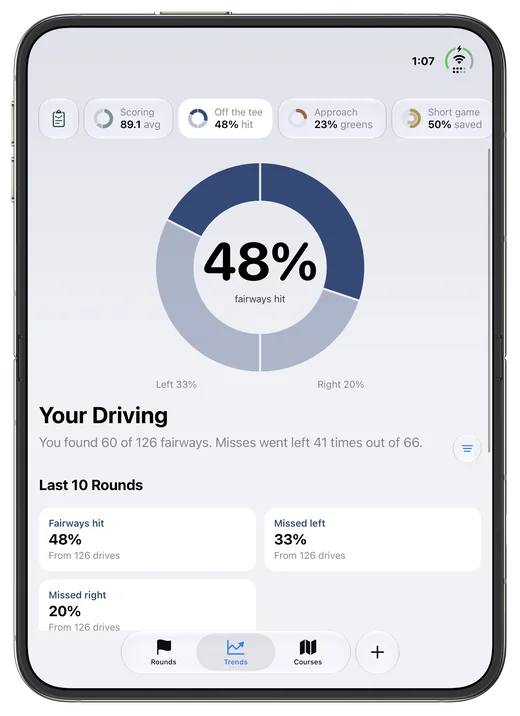
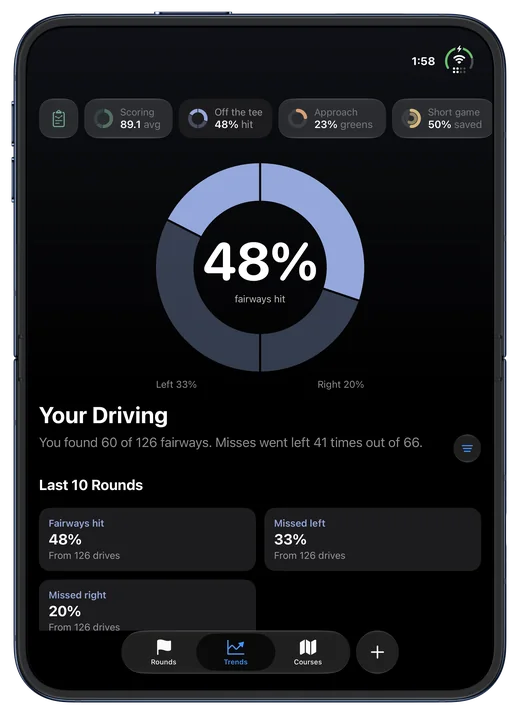
Trends on the iPhone Duo inner screen, light mode: Your Driving, 48% of fairways hit over the last 10 rounds, with misses left 33% and right 20%. Trends on the iPhone Duo inner screen, dark mode: Your Driving, 48% of fairways hit over the last 10 rounds, with misses left 33% and right 20%.
Plate ITrends. Your last ten rounds, one part of your game at a time.
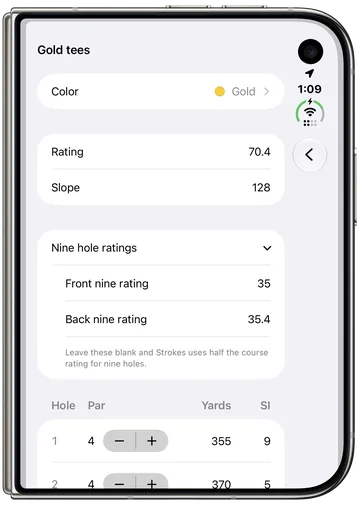
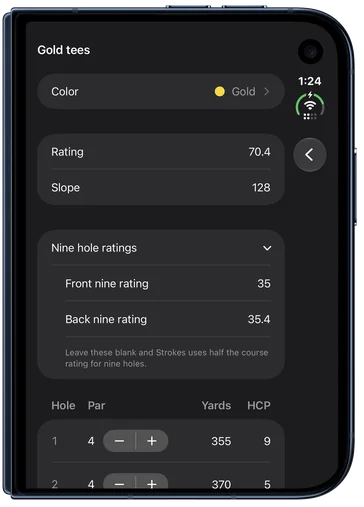
Strokes on the iPhone Duo cover screen, light mode: the gold tees at a course, with rating 70.4, slope 128, nine hole ratings and the par and yards for each hole. Strokes on the iPhone Duo cover screen, dark mode: the gold tees at a course, with rating 70.4, slope 128, nine hole ratings and the par and yards for each hole.
Plate IICover screen. The tees you play, with their rating and slope.
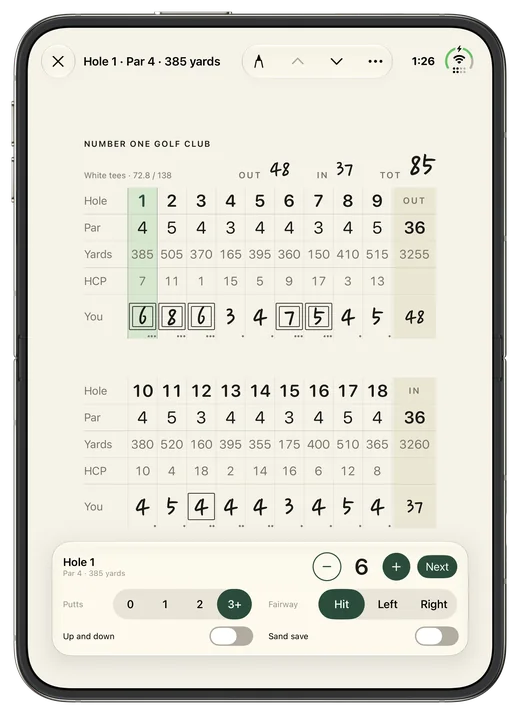
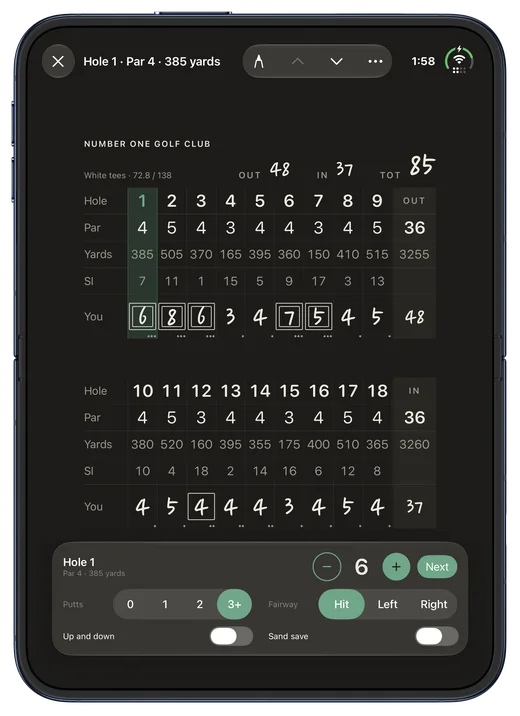
Strokes on the iPhone Duo inner screen, light mode: the Number One Golf Club card for all 18 holes, with hole 1 highlighted and the score entry for that hole below it. Strokes on the iPhone Duo inner screen, dark mode: the Number One Golf Club card for all 18 holes, with hole 1 highlighted and the score entry for that hole below it.
Plate IIIInner screen. The whole card up top, the hole you’re on below.
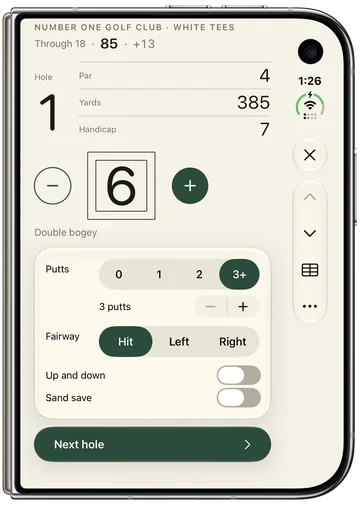
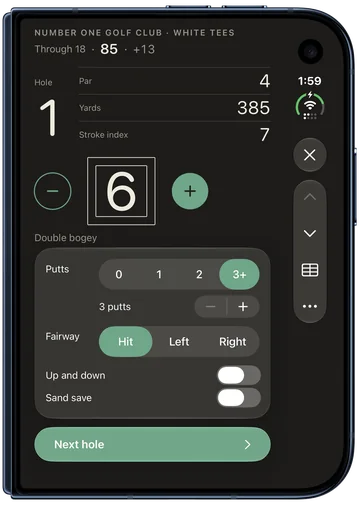
Strokes on the iPhone Duo cover screen, light mode: hole 1, par 4, 385 yards, with a score of 6, three putts and the fairway hit. Strokes on the iPhone Duo cover screen, dark mode: hole 1, par 4, 385 yards, with a score of 6, three putts and the fairway hit.
Plate IVCover screen. One hole at a time, mid round.
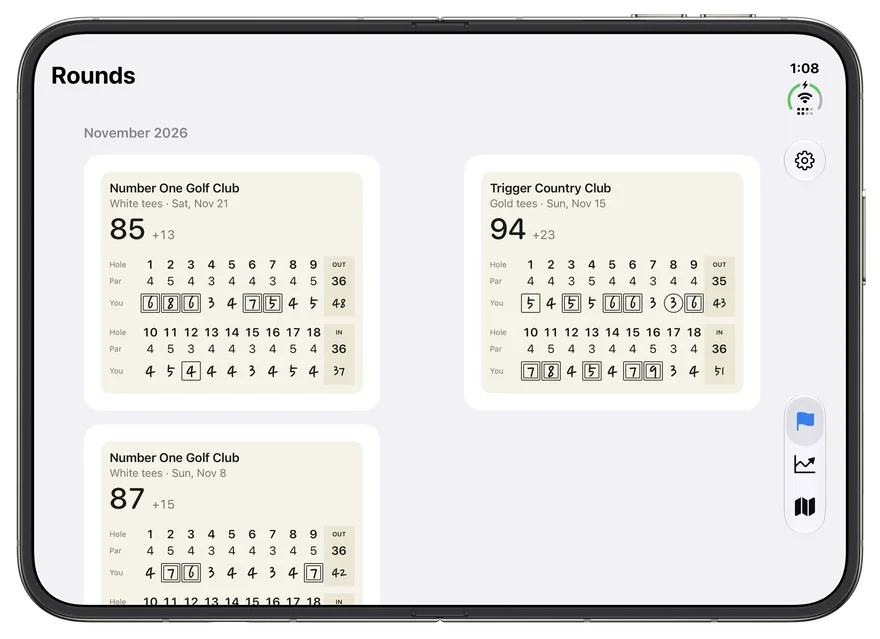
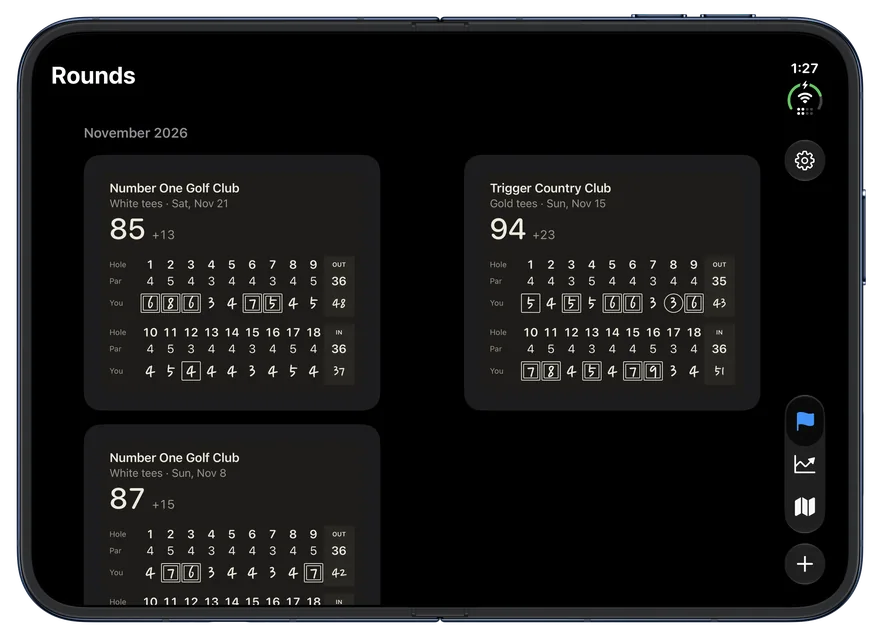
The Rounds screen in light mode, sideways on the inner screen: three November rounds, each kept as a full scorecard with the strokes written in by hand. The Rounds screen in dark mode, sideways on the inner screen: three November rounds, each kept as a full scorecard with the strokes written in by hand.
Plate VRounds. All your cards in one place.

Observed behavior

On the course

  • Turn the Digital Crown on your Apple Watch to put in a score. Your phone catches up on its own.
  • Your round shows on the Lock Screen and in the Dynamic Island, so you don’t have to open the app.
  • Search for your course and pick the tees you’re playing. Star the ones you play most and they stay at the top.
  • Strokes notes the weather when you tee off and keeps it with the card.

After the round

  • Every card stays just how you played it, even if you change the course later.
  • Trends shows how your fairways, greens, putts and scrambling compare to your usual game.
  • After three rounds, Strokes estimates your handicap from your own scores. It’s a ballpark, not an official one.

On iPhone Duo

  • Open it up and the whole card fits on the big screen.
  • Write your score with Apple Pencil and Strokes puts it on the card.

Strokes needs iOS 27.2 or later. The Apple Watch app needs watchOS 27.2 or later.